Category Archives: Uncategorized

Software technology for estimating

Construction Management encountered a bit of an educational boom in recent years with everyone from four-year universities to local community colleges filling the airwaves with advertisements for the new “High tech, fast-paced” world of construction management.

While it’s certainly true that some companies make an effort to stay on top of technology the reality is that the vast majority in the construction industry do not hold a degree. The “school of hard knocks” remains the primary educator for the rank and file. Not that I’m picking on them. The construction industry is somewhat anachronistic in that it’s still fairly common for a person to start as a laborer and work their way up to leadership. People who’ve earned their status tend to respect what’s learned through hands-on experience. There’s a natural urge to keep what works, so in some ways innovation is slow.

dinosaurs

Modern Dinosaurs

Technology firms focused on the construction industry have a split in their demographics. The bulk of the existing leadership is composed of elderly professionals who appreciate operational familiarity with legacy programs. The small remainders are typically younger professionals looking for an edge in the market. Lacking a long history with existing programs, these folks are open to learning to use whatever software they’ll need.

We all know how to use a road.

Take a moment and consider how homogenized the computer experience has become over the last twenty years. Everything from websites to spreadsheets will jump to the next value if you press “Tab”. Left mouse clicks select, double left mouse clicks open in just about every application. Navigating unfamiliar programs is MUCH less frustrating because we don’t have to think about these little details.

Except in this industry.

Inexplicably, popular estimating programs will not tab to the next obvious insertion point. Spell-check and formatting options are bafflingly missing in Project Management software that generates RFI’s, Memos, Change Orders, and Payment applications that get submitted to clients and architects. Copying a file may result in a pop-up window telling you it’s done without opening the copy or the original. Often otherwise identical insertion windows will wait until you’ve entered considerable data before a pop-up window informs you everything was deleted because no job was selected.

It’s common for programs to have incredibly counter-intuitive command names and sub-options. This is likely due to proprietary naming conventions. But I believe there’s another, much more frustrating reason.

Programs for the construction industry are written by and for people who have never used a program that was streamlined for the construction management user.

architecture

“You know who you are”

Over time, the firms making these programs have added features here and there which are trumpeted in advertisements as improvements. The obsession with legacy layout has resulted in programs that are very frustrating to use. For example, one very popular project management program has job reports separated under upwards of five different sub-headings. It’s not possible to go to “reports” and find everything you’d need. Instead you’re forced to navigate through menu’s primarily used for data entry.

Dumb defaults

Above and beyond these arbitrary obstacles, the programs “default logic” is genuinely irritating. Getting a report to print often requires as many as twenty different operations to select dates, printer settings, and so forth. 99.999% of the time you just want it print the current report from the start of the job to today! Somehow it’s never an option to “save” all those keystrokes into a single operation.

Users are not permitted to alter menu structure or interface to improve workflow. I was at a training seminar for the most popular electrical estimating program in my area when I asked the instructor why the program wouldn’t allow me to tab to the next insertion point and partially type the variable I wanted to search for.

The instructor appeared genuinely shocked that anyone would want a $3,000 program to be quick to use. “I guess there are some things that could be a little better” was the instructors reply. Antiquated input structure slows the users down at the worst possible time. This program goes back nearly 20 years and boy, you can tell!

Quantity Take Off systems

Estimating software’s are often referred to as Quantity Take Off (QTO) programs. Older systems utilized a digitizer for data entry whereas most of the newer systems import plan files and digitize the measurements on the computer screen. Digitizing, is correlating the represented image to a scaled value linked in to your QTO and potentially your pricing system. Rather than fussing around with scales, calculators and graph paper, you can lay down a linear takeoff on the computer screen. The program will automatically calculate the real length, and link that measurement to a takeoff value such as “base molding”. Most QTO systems operate entirely on-screen allowing the plans and the takeoffs to be visible at the same time. These systems don’t require plan printing AT ALL which is not only less wasteful, but it’s also MUCH faster because you’re not constantly waiting on a plotter or print shop to deliver.

It’s worth taking a moment to discuss old-school digitizers. Generally they were a large fixture or mat placed on a plan table onto which the drawings were physically secured. Using a stylus or digitizing mouse, the plans were traced with the measurements being correlated by scale and input designation. Digitizers were particularly useful for earth-work take offs where the existing and proposed elevation contours could be traced as separate layered conditions that were interpolated into a wire frame model depicting the site cuts, fills, paving, foundations, and so forth.

In use they were cumbersome because if the page moved, the entire plan had to be benchmarked again. The estimator had to mark the plans wherever a measurement had been taken to ensure it wasn’t doubled up. The data entry was difficult for frequently interrupted measurements because the digitizer is huge, and there was rarely a convenient place for the monitor, keyboard, and mouse near the plans. If there was an addendum that replaced a sheet of your takeoff, it was nearly impossible to successfully edit all the affected layers of a takeoff. Ergonomically, these systems resulted in some very long days for the estimator.

architect

Some of the older systems were a bit odd to say the least…

Going to the big screen

Today most QTO programs that will import a plan file and allow takeoffs using the computer’s monitor, mouse, and keyboard. Some proprietary systems utilize a touch-screen tablet as well. I would heartily recommend the computer based systems over the traditional digitizer or the hoary old manual measurement methods.

There are a few things to consider. First off, plans are more or less standardized according to Architectural paper sizes. The two most common are D and E1. “Arch D” measures 24″ x 36″ (610mm x 914mm) and “Arch E1″ measures 30″ x 42″ (762mm x 1067mm).

Arch D is the more common of the two for general construction, however large buildings or those drawn by Architects with especially quirky eyeglasses go with Arch E1.

Arch D is 6 square feet, and Arch E1 is 8.5 square feet per page. Most reasonably sized monitors will display 2-3 square feet maximum. A goodly portion of which is consumed by the program that actually does the measurements. This means that a plan displayed at full size in a software window will reveal less than 30% off the total surface area of the plan. The most common scale is 1/8″per foot which means a 6″ wall is depicted at 1/16” thick at full size (100% zoom).

Ramp the zoom

In order to get anything done, you’ll have to get used to one of the most frustrating aspects of software oversight I’ve ever seen. The plan area is huge relative to the window through which you’re working. This means that the plans are either zoomed-in such that you can’t see areas immediately adjacent to what you’re looking at, or you’re zoomed-out such that you can’t see any detail. I call it “ramping the zoom” because you’re zooming in to start a measurement, then zooming out so you can cross the plan area faster, then zooming back in for the “landing”. I know of one program that offers a “magnify” hot-key that pops up a magnified window at your cursor when it’s pressed but leaves the page zoom level alone.

Key notes are often listed on plan margins, in a small font, in ALL-CAPS, in huge blocks of text that may not actually list left to right, top to bottom. It’s a gigantic pain in the rear to go define a key-note and return to what you were doing because it’s invariably across the sheet, and never where you’d expect it to be. Few if any systems have a “go back” function allowing you to return to the display settings and area of your last measurement.

Traversing the plans

Since the plan area is so large relative to the displayed area, it’s a constant necessity to scroll vertically and horizontally. Some programs default to “right-click = grab” which means you click (and hold) to “grab” the page which then moves with your mouse. Other programs use the mouse roller in combination with Shift or Control to scroll horizontally or vertically. It can take a lot of “getting used to” learning how to smoothly navigate the page. The “grab” is less difficult to operate but some mice have “smooth-rolling” scroll wheels that you can spin quickly to smoothly cross the page.

Most systems employ an “overview window” which shows a very small image of the plan with a boxed shadow depicting the viewing window’s boundary relative to the sheet. You can grab the box and move what’s displayed in the viewing window without changing the zoom setting. This tends to be very coarse and difficult to employ making them pretty useless.

Every system I’ve used had selectable cursors with defined functions. A “grab” is different from a “takeoff tool”, which is different from a “zoom” tool. These are generally located on toolbars at the margins of the working window. One of the market leaders inexplicably doesn’t allow keyboard shortcuts to switch to all of the cursor functions. This means you’re forced to mouse all the way to the top of the page to get to toggle between functions you CONSTANTLY change. It’s a huge waste of time.   These programs already require the keyboard to operate some functions, oh how I wish they would allow users to set up hot keys!

angrydog

Submitted without comment

So what do you do?

One costly option is a large monitor. Larger monitors can display more working area of the plan for any given level of zoom. Time spent ramping the zoom just to continue a measurement is greatly reduced. Bear in mind that larger monitors really benefit from a good video card. “Big but blurry”, isn’t helpful. It’s worth mentioning that system requirements for these programs aren’t very stringent but minimum level systems will slow down towards the end of a particularly complex and lengthy takeoff. Losing your productivity at the last hour is extremely stressful.

Everyone’s going to have their preferences but I’ve found that a great deal of QTO program setbacks can at least be mitigated by using a track ball mouse. I can whip the cursor across the screen with one motion rather than being forced to wipe the mouse across a pad several times. The sensitivity settings on mice will always be a frustrating compromise with QTO systems because you’ll really need precision control and rapid movement. The trackball accomplishes this pretty well. Every QTO program I’ve used required some degree of numerical data entry on lots of individual takeoffs. The cursor stay’s put while you move back and forth to the numeric keypad. If you do use a standard mouse, I recommend you buy a premium quality one. A mouse that would work fine for most applications will force you to pick between speed and accuracy. A job with miles of measurements will take its toll on you in short order.

If there are any hardware developers out there, I have a suggestion for you. Take the “3D mice” that architects and engineers use for 3D CAD/ CAM programs and re-program them to be used as analog joystick mice. The multi-axis control could be used to control several functions simultaneously on QTO programs. Being able to zoom out, while traversing the sheet with an ongoing take-off measurement would allow “cross the building” measurements like main trunk lines without all the tedium or repetitive stress injuries.

Menu madness

Another aspect of QTO programs is a preoccupation with staggeringly long menus of parts, assemblies, or whatever the programmer named them. For example an interior wall in a commercial building might have 3-5/8″ metal studs 10′ tall 16″ on center, with 1/2″ gypsum wall board on both sides finished to level 3.

It makes sense that this is just one option among literally thousands of possible configurations. Most plans will include a wall type schedule listing only those that are used on the job. For the sake of example, let’s say there’s five shown.

QTO programs tend to be built around menus that list every possible option for a given assembly type. That means that an estimator in this example would only use five out of maybe 2,000 options which are all presented in a truncated form alongside one another. Typically this list is buried in a sub-folder, within a directory, and so forth. Everything is a list of lists!

It would be substantially less difficult to set up the program to ask sorting questions of the estimator to present a shortened list of available options. Allowing the estimator to define and name the five options so they match the plans and allow for quicker repeated access would cut the time spent scrolling through 2,000 item lists. In the same way that a traveler packs clothes appropriate to their destination, so too should the estimator be allowed to make a shorter list of parts they intend to use for each job. Some programs can import styles or preset lists to help with this. It’s worth taking the time to cull the list to what works for you. Still it’s a shame that the “default” is so dim-witted.

doperide

No sir, she’s not built for speed…”

One easily overlooked aspect of QTO systems is information management. Plans come into the program in any one of dozens of file formats. Most programs must convert the plan files to TIFF format to work. The original file, and the new TIFF files must be stored somewhere. Some programs will allocate memory space on the system/network for these files, others will allow the user to select each one individually. Be careful because it’s very common for companies to track projects in Estimating in different file locations from projects in Project Management. Moving files from one folder to another may prevent the QTO program from working and copying them to both locations consumes too much space.

QTO programs that are tied to pricing programs often must import/export between the programs. Job numbers, file locations, dates, times, and job names must be identical to work.  It’s therefore impressive how rarely the defaults are set to prevent errors!

Estimating systems

Estimating or pricing programs are much older than QTO systems. Most estimating programs feature some means of importing current material pricing. Ranging from general to trade level specialization, these systems can provide a benchmark for labor productivity and commodity level material pricing. Specialized items are priced via the distributor chain. Being older, estimating programs are very prone to “legacy layouts” that often look and feel like something out of the 1990’s. Some popular project management programs include an estimating function. Project Management programs are a specialization of accounting software. As a result it’s built to automatically save anything that’s entered. Anything you change is changed immediately and forever. “Undo” is still being touted as a “new innovation”! If you want to conduct a “what-if” scenario with an estimating program, you’d better be sure of what you’re doing. Often it’s easier to just copy the job and futz with the copy so the “original” is still there for you to return to.

Updated pricing

“Automatic daily updates of all your commodity pricing” sounds great but there are many defaults that work against this notion. For example, it makes sense that once your deadline has passed, your price should remain “frozen”, i.e. not continually updating. When you create a new job, there will be some means of identifying the bid deadline. On many systems this will default to the current date and time. That means the pricing is frozen at the start.

The deadline spiral

You might have a quick bid that you put together in an hour. No big deal that the pricing is frozen right? WRONG! Some “automatic” updates will automatically connect to a server, download all the current pricing, then WAIT TO UPDATE until a job is created that’s not frozen. That means that as long as you’re doing quick-hitter bids, none of the system material pricing will update!

But wait, there’s more! Let’s say you create a new job in a hurry and forget to enter the deadline that’s a week away. If you go back and edit that setting you’d think you are in the clear. NOPE! Often in a sub-menu option there will be a check box for “freeze pricing after deadline”. If you create a job with frozen pricing, it stays frozen until you uncheck that box AND set the bid date for the future.

So surely it’ll update now?…Right?!?”

Sadly, no. Once a job has been “frozen” its ignored by the updating function. You’ll now have to work your way through the intricate menus regarding imported material pricing and specifically force the program to update the job you just created. Now, finally the estimate will use the updated material pricing. Just don’t forget to re-check the “freeze pricing after deadlinebox! This entire spiral of madness exists for two reasons. First, the program doesn’t default to updating material pricing for every new job. Second, the “freeze pricing after deadline” check box is needlessly pedantic. It’s understood that pricing freezes after the deadline, so it’s counter-intuitive that changing the deadline fails to trigger the update. A pop-up screen warning of an impending update following a deadline edit would prevent any mistakes.

If an old job needs updated material pricing, it’s better to make a copy of the job set to the current date.

However your specific system works, you must verify that your jobs are working off the most current information. Some programs allow a user to search the material database. Pick something commonly used in your estimates and compare the database to what your job is listing. I’ve found that out-of-date material pricing can “stack up”, pushing your bid way off the mark.

Be advised that updates can be wrong. I’ve received “Emergency notification” from these services advising estimators that a mistake was discovered. I’ve also caught material pricing that was set to the wrong $/ unit magnitude. For example a part might be priced per each (E), per ten (D), per hundred (C), or per thousand (M). Most systems include a drop down list with E, D, C, and M. Updates can change the cost per unit magnitude. Imagine being wrong by three orders of magnitude! That’s a very serious problem I’ve encountered more than once.

gotapiece

“The stress eventually drove Rusty here to a life of crime.”

Patchwork leads to more work,- for you

Automation is often touted as an error-reducing technology. Programs that must import and export with one another are often “patched” via a set of concealed default conditions. In practice this means that anything the patch programmer interpreted differently than you do, will generate an unpredictable result.

Because estimating programs have the historical foothold on the market, “patched” QTO systems are generally hobbled to suit the estimating program’s limitations. A QTO system might be able to let the user modify far more parameters of a given “part” you’d use for a takeoff than the estimating system can support. The “patched’ duo is sold with those parameters helpfully disabled. Advances in QTO programs are often held back by antiquated estimating software. It’s not really possible to easily link independent programs without substantial programming capability. However most QTO and estimating systems will import/ export spreadsheet files. It may take some work, but it’s generally possible to get the two programs working by spreadsheet exchange.

New part = no part

Most programs allow for the user to create a one-time or temporary part. As is often the case, these are odd-ball items you’re trying to address. If the receiving program doesn’t know what that temporary part is, chances are good that it’ll go wrong. It’s absolutely critical that you “check the chute” to make sure that everything in the import/export stream made it from one side to the other unaltered.

Be advised that some patched programs will doggedly resist any efforts to alter the audit. Say you imported the job then noticed you were short one item. It’s an easy fix to add one more on the estimating program. If the takeoff program quantities differ from the estimating program quantities, some systems will badger you senseless.

This is particularly infuriating when a project comes in over-budget prompting the design team to “revise” their plans before demanding immediate pricing revisions. It might be perfectly obvious that you’re deleting this and adding that. Getting the system to quickly make those changes can be a needlessly difficult task. Two scope changes can result in upwards of fifteen separate operations just to stop the error messages from popping up.

In fact, it’s often easier to just create a “new job” that’s nothing more than the addition and subtraction of various line items. Be advised that it’s far from ideal to hand over an estimate with a stack of rag-tag modifications attached. Many Project Managers will insist on a “clean” estimate that reflects what they’re under contract to build. So “save time” at your own risk!

Alternates

“Do this instead of that” sounds pretty simple but most estimating software is woefully equipped to get this right the first time. QTO systems range from pretty good to outright hostile to alternate pricing. Much of how it will behave hinges on how the data is compiled. Repeated conditions get tallied, that makes sense since it’d be annoying to have fifty measurements of the same carpet type rather than a total for all of it. If the system can’t/won’t delegate between base bid and alternate for each measurement, the alternate get’s thrown in with the base bid tally skewing everything.

Multiples

Apartments and hotels often have repetitious floor plans where the designer will only detail a single example of each repeated plan. Some QTO systems are built without the capacity to define everything on a given plan as a multiple. I’ve struggled through 250 room nursing home takeoffs that took heroic efforts to work around this shortcoming. If you’re bidding multifamily work, don’t buy these programs. Most salesman are spectacularly unaware of how useless a program becomes when it can’t do basic math functions like these. In case you’re wondering, some estimating programs can multiply imported items. So while it is technically possible to calculate multiples, you’re going to be selecting these items down out of a long list of similar entries. Once a change is made it can be very difficult to be sure you’ve done it right. I would strenuously advise against this practice because it’s very slow and error prone.
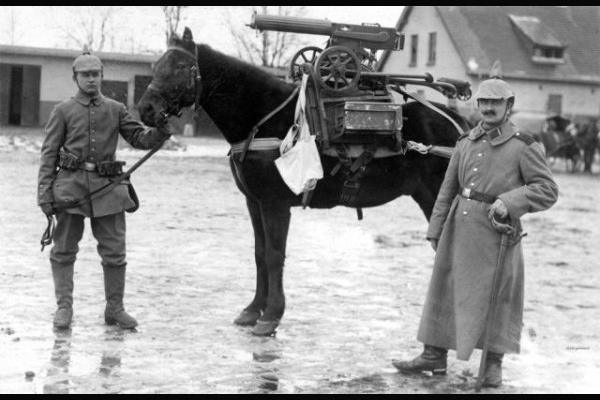
peteyartillery

Pictured: a slow and error prone approach

Overlays

Overlays allow two plan pages to be displayed at the same time. Most commonly, overlays are used to compare different versions of the same plan as with Addenda or ASI’s. Comparative overlays generally color new blue, and existing red. Anything that perfectly aligns is purple indicating no change. It’s possible to catch Design teams that don’t/won’t bubble changes to their revisions using overlays. That being said, it’s an imperfect solution. If the plan is moved within the space on the page, it’s no longer possible to align everything at the same time. Overlays work one page at a time, so addenda that replace every sheet means you’ll be overlaying every sheet individually. The old-school addenda method of putting changes on “sketches” formatted to a 8-1/2″ x11″ page so they could be faxed is a constant source of misery. Overlaying multiple sheets, with different orientations, and scales is barely possible with some systems. In fact some programs only allow a single overlay at a time. Comparing more than one set of changes is a multistage process.

Subtle changes to scale, alignment, and orientation all require constant fiddling while staring at a blurry purple screen. Design teams with several addenda, will often remove earlier bubbling which adds to the discrepancies you must sort through in the overlay. Text changes within schedules will be illegible in the overlay. Sadly this advance in technology has been greeted with enthusiasm by irresponsible design teams who see it as an opportunity to avoid writing a narrative of their changes. Often these teams simply replace the entire plan set regardless of whether changes were made to every sheet. Lacking bubbling, the estimators are obligated to long hours of eye strain trying to figure out what happened. General Contractors can and should demand design-team narratives of changes to uphold professional integrity.

Updates, upgrades, marketing and mischief

I once had a QTO program that after some intensive setup was working really, really well. After a year or so, the program was sold to a different company who announced that a new and improved version was coming out. Emails listing all the new features were very exciting. Compatibility with popular tablets, phones, and programs were touted and many promises to smoother functioning were made.

Long story short, the upgrades caused problems which were patched, causing further problems eventually reaching a point where about 10% of the plan sets I had to bid on wouldn’t import into the program. Their software developer told me directly that it was a marketing decision to hold off on providing the desperately needed fixes until they’d worked out their newest upgrade which made them compatible with Apple computers for the first time.

To those marketing folks, there’s no “selling point” to software that just works. The priority was having some new feature to advertise. Everything was about upgrade launch dates followed by inevitable patches to fix whatever was broken. If there weren’t enough people clamoring for help with a problem, it didn’t get fixed.

handicapped

They would consider this a lifetime parking upgrade

I still receive about five emails a year from them informing me that they’ve decided to put another one of my suggestions into development for future upgrades! Sadly the “make it work as advertised” suggestion remains unaccounted for.   It’s been years since I worked with that system, it had great potential and terrible ownership.

Training

Just about every legitimate estimating software supplier will include free training and a free trial of their program. In my experience, the free trial was a limited “viewer” version of the real program. In other words, it wasn’t possible to actually complete an estimate but you could see a bunch of unresponsive icons and menu screens. Several firms create a “user database” of video tutorials that provide instruction on how the various parts work. The video’s are great provided you do things EXACTLY as depicted. Few of these tutorials spend much time explaining why you’d check a certain setting. Misleading option names, and unfamiliar layout leaves a user desperate to understand why it won’t just do what it’s told.

The salesperson will recommend you spend some time watching the video tutorials and puttering around with the software before your training session. In my experience, the “trainer” will get on the phone with you, link up to your computer and conduct a “mock estimate” that’s literally identical to the training videos. I found myself asking more advanced questions of the trainer, and they never knew the answer.

Tech Support

It can be very frustrating to wait on hold knowing you’re just getting further behind schedule. The key is to understand that tech support is WAY more qualified to answer user questions than the sales and marketing team. Once they’ve solved your main problem, take the opportunity to ask questions to learn more about the program. These folks teach really well because they can usually log onto your machine and literally point you in the right direction.

If you’re learning the system from a co-worker, be advised that typically they’ve worked out their way that works. Asking questions about un-used options may frustrate them.Lots of people have a “need to know” policy about all those options. If they don’t use them, they figure they don’t need to know what they control! I encourage you to be curious and thorough. Software may provide multiple paths to the same solution. Understanding how they all work allows you to find the most effective way.

Workarounds

Its sometimes possible to work around a programs shortcomings. For example if you’re using a Project Management program that doesn’t have normal text editing features, you can copy and paste text out of a word processing program into the Project Management text insertion windows.

Bill of Materials (BOM) are common requests and a complete nightmare to output with some QTO systems. However nearly all QTO systems feature an “Export to spreadsheet” function that you can then sort, cull, and print. Whenever you’re trying to “check the chute” to verify that the QTO program exported everything into the estimating program, it’s really handy to have a list of what was supposed to export to check against. Estimating programs will generate reports which consolidate the data making it difficult to see what might be missing. For example if your estimate program displays 1,000 feet of pipe, but your exported list tallies to 1,020 feet, you’d know to look through your export list looking for a 20 foot long measurement. Chances are excellent that will be the one that didn’t import properly. Plus most spreadsheet programs will “find” a keyword or number with a search function so you can quickly get to the entry that’s in question.

Tips

Check the scale. I’ve won at least two major projects because the scale was not correct on the drawing. Commercial doorways are 3′-0″ wide. Parking stalls are 9′-0″ x 18′-0″. If the plan scales different, you know there’s reason to be suspicious. Be advised that any plan developed by an Architects consultant is probably drawn on the Architect’s background drawings. So if the Mechanical floor plan is labeled at a different scale than the Architects floor plan of the same space, chances are good that one of them is wrong. Most commercial projects utilize similar scales for their plans. Architectural floor plans are often 1/8″ = 1 foot or 1/4″ = 1 foot.

Scales like 3/32″ = 1 foot and 3/16″ = 1 foot are really close to the “normal” scales, be very careful. Many QTO programs will crash if you try to change the scale AFTER doing a lot of measurements. Also check that your scale is correct vertically and horizontally. I caught on to a local printer who was mistakenly creating files that had different vertical and horizontal scales!

Define any alternate early on. It’s generally much less difficult to control where things end up when you define them at the start. Often alternates defined with the job can be imported/exported between programs much easier at the start than later on.

Import the alternates last. Estimating programs have an audit display showing all the imported data. Most will default into order of entry. By leaving the alternates to last, you can jump to the bottom of what can be a REALLY long list. Having everything for an alternate in the same place reduces the confusion and searching when the deadline is looming.

QTO programs will display your takeoffs on the plans. “If it’s colored, it’s counted” is their credo. Depending on display settings; the icons, line weights, and numeric references, can obscure a great deal of the plan.   It’s entirely possible to take off a wall section on a plan view and lose sight of a window you should have counted. Unless you provide a means to “turn off” the wall QTO, you won’t notice when you’re missing something. Conversely, if you don’t have a means to only display windows, it’s harder to notice one missing. Some programs have check-boxes next to QTO items allowing users to turn them on or off. Other programs require QTO items to be categorized in “layers” which can be turned on or off. Going along counting a repetitive item it’s easy to miss just one. If those items are the only ones lit, it’s much easier to verify by symmetry, function, and overall layout.

deft touch

It takes a deft touch…

Auto count, the incompetent tool.

QTO program salesman love to tout their cutting edge auto-counting tool.  It’s supposed to reduce the drudgery and knock out QTO’s like clockwork.  They are uniformly terrible in my experience.  If a salesman offers to demonstrate this tool, make sure they use your plans. Real project plans are much harder for these tools.

Copy and paste the indispensable option.

A much bigger deal is being able to copy and paste a slew of takeoffs.  Architects love symmetry so lots of elements in their designs are copy’s or mirror images.  Not every system CAN copy and paste.  Being able to rotate, invert, or flip a copy can finish a takeoff in a fraction of the time.  It’s a really big deal that nobody talks about.

Patterned workflow

If you’re using a separate QTO and Estimating program, you’ll benefit from a patterned workflow. Estimating programs will have a unique input format for each entry. Structure your QTO output to match the estimating programs format. It’s much less work to have the data in the order it’s asked for. Also, if your estimating system has separate menu’s for different assemblies, divide your QTO output accordingly. You might have noticed that I’m writing “QTO output” rather than QTO program. Exporting to a spreadsheet allows you to change the order of the items by sorting.

If you pay attention to how your QTO program exports, you might find that doing your takeoffs in a particular order helps smooth out the works. Smooth is fast, so focus on reliable techniques to improve your workflow. QTO programs will sometimes allow the user to select or define divisions, breakdowns, etc. You might find that you can sort the exported spreadsheet by these terms thereby reducing your labor to put everything in order.

QTO and estimating programs can be a great asset in the modern bid market. I’ve been able to consistently increase the quantity and quality of my bids year after year. I owe much of my increased productivity to QTO programs. These programs will NOT make you a better estimator, nor will they prevent you from making mistakes. Like everything in estimating, it’s about controlling risk. Automatic operations seek to avoid “human error” and to a great extent they do. Programs are only as good as their code. Eventually the system will do something unpredictable. Never forget that it’s your bid and your company that must accept the risk. Control the risk by checking on your programs frequently.


For more articles like this click here

© Anton Takken 2015 all rights reserved


Barn Raising vs. Sausage Making; A lesson in perspective

I was recently asked what topic would most benefit estimators and I recall thinking that was a tough question.

seat

“Have a seat while you think it over”

It wasn’t until I reconsidered the question that an answer came to me.

What would improve estimators who believe they’re well-trained? This is a simple one. Perspective. Lots of otherwise skilled professional estimators are “too busy” grinding out bids to recognize that if your approach is wrong, you’re outcome will suffer.

Bids can become little more than deadlines for some estimators. Lots of GC ‘s assume that grinding out more bids increases your chances of winning. “You can’t win if you don’t bid”, so they bid as much as they can wedge into the schedule.

Let’s look at that for a moment. By equating winning with luck, the harried schedule consumes time which deters skillful bidding. If you’re not making an effort to win through skill, you’re not really working as an estimator at all. Secretarial staff could accept sub proposals, collate, tally and sum to the proposal without an estimator at all. The chances of landing profitable work this way are infinitesimal.

Grinding and stuffing

Perhaps worse, this practice grinds through resources far and wide. A subcontractor bidding to such a GC might give them the best price on the market only to see it squandered because the GC isn’t attracting other market-leader tradesman. So the great sub bids get fed into the same process as the bad sub bids. The GC is just grinding and stuffing the sausage one deadline at a time.

Interested

“Did you say sausage?”

There’s no time” is the stock reply to just about every pre-bid task a resolute professional estimator would handle. RFI’s, bid directives, job walks, clarifying alternates, running down oddball items, it all suffers with the sausage makers. Estimators are reduced to “hiding out” from bidders looking for direction or bid results. The entire situation is a farce where the estimator is never proud of what they’ve done or what they’re doing but they nevertheless expect subs to send bids.

Barn Raising

Farming communities come together for a barn raising. Everyone helps their neighbor because eventually it’ll be their barn getting built. It’s very significant point that the resources were scarce so great care and planning went into making every barn raising successful. Often barns were the largest buildings in the area, it wasn’t always possible to “add this or that later”. Once a wall went up, it was done. Farmers took great care to make sure the job was done right beforehand.

Once the barn was up, it was a tangible monument to the collective effort. Everyone had reason to be proud of the work they’d done.

Bidding is like barn raising. A good project is an opportunity to build something everyone will be proud of. Successful projects are rarely born of shoddy bidding. Even poorly designed projects for low-budget clients can be profitable ventures for a good build team. The best build team begins with an estimator committed to setting the right course.

contact

“Yes Earl, we’re headed to Anchorage… quit talking and just spin the prop!”

An absolutely huge element of “the right course” is professional acumen. The best team won’t come from a cattle call bid invitations. These are invitations to bid which go out to every potential subcontractor in the city or state. Further, respect for the bidders goes beyond good manners. Competition is a necessary part of the business to prove “best value”. However it’s become common practice to insist upon “3 bidders per division” way past the point of proving best value. Projects that come in over budget may require pricing revisions. It’s hardly reasonable to put all bidders through pricing revisions after the low bidders have proven best value. Pick your team and show them the respect they deserve. Leaving the bidder selection “in limbo” to facilitate further bargaining is not ethical.

The invitation to bid promised a contract to the best value bidder on bid day. Weathering several rounds of re-bidding only to end up bargaining over the final award is a “bait and switch”. This is bad advertising because subs learn to expect this approach and price accordingly. GC’s don’t get the subcontractors best efforts on bid day because they know they’ll have opportunities to snag the contract later.

Looking at this a different way, barn raising is about a shared commitment to success. Sausage making is only committed to pushing bids out the door.

“Yeah, sure buddy, like I’ve got time to tiptoe through the tulips on every little bid”.

Lots of estimators face pressure to crank out more bids. The pressure only mounts when there aren’t enough wins to keep the company busy. “Little” bids tend to have lower barrier to entry and they’re the first ones people gravitate towards when they’re looking for “fill in” work. Being smaller, these projects tend to bid quickly against less sophisticated competition.

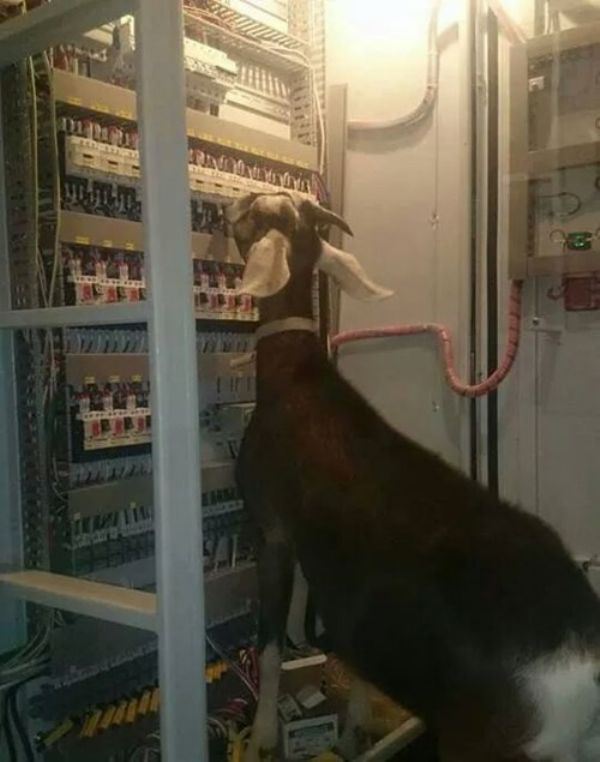
Goat electrician

Pictured: Unsophisticated competition

Unfortunately “little” bids are much less profitable for all of those reasons. High competition drives profit down. If there’s no call for a more sophisticated or established firm, there’s no advantage in being the best. Even a minor error is likely to have dire consequences on low-budget bids. These “quick hitters” end up being strikeouts for the big firms.

If your team of subs isn’t aligned to the scope of work you’re bidding, you’ll have problems hitting market value. Plus it takes and awful lot of small contracts to equal a few “right sized” jobs. The tricky thing about “right-sized” jobs is that it often takes a great deal of work to find them in slow markets. As hard as it may be to believe, the time is better spent finding the right jobs than bidding unprofitable losses.

Getting back to teams, it’s been my experience that few GC’s have a firm grasp on what their key subs are good or bad at. It’s terribly common for GC’s to define subs as either “big” or “small”. Greater understanding can make a huge difference. Lots of GC’s start out with a new sub by having them bid limited scope or low-budget projects. The idea is that the sub will prove themselves on something less risky before they can be invited to the better work. This logic is tragically flawed because a big sub may not be particularly efficient at little projects. Trying to out-bid companies with a fraction of their overhead isn’t reasonable. As a result, a sub who’d be perfectly suited to that GC’s typical project never sees that opportunity because they can’t win the tiny jobs they’re forced to start on.

In the mean time, the GC is losing out on a market-leader sub who could be earning them victories.

GC’s and Subs should strive to understand one another and align themselves to greatest advantage. That requires forthright honesty which isn’t as common as it should be. Marketing pitches have no place here. GC’s should take this information to heart and avoid wasting the subs time on work that’s too small or too big for them to be competitive. Not everyone will align on every job, that’s OK. Subs will be more enthusiastic about bidding to a GC that wins profitable work with them. GC’s shouldn’t expect loyalty to override the subcontractors own interest. In fact, GC’s should pick work that perfectly fits their best team of subs.

Much of “what’s wrong” in the professional estimators day comes down to enduring arbitrary pressure and a tolerance for tedium. It doesn’t have to be all-consuming. Wining profitable work reduces pressure very quickly. Picking an opportunity aligned with the winning team is enormously satisfying for all concerned.

Imagine the farmers neighbors walking home with the new barns shadow over their shoulder. Proud of the accomplishment and secure in the knowledge that there are opportunities more to come.  That’s a worthy accomplishment achieved through proper perspective.


For more articles like this click here

© Anton Takken 2014 all rights reserved


Mistakes will happen, here’s what happens next.

One moment you’re cruising along working on something, the next you’re confronted with a mistake that stops you in your tracks. Either you’ve made a mistake or you haven’t been at this long. Mistakes are going to happen so its a good idea to consider your options for recovery. Very often your reputation in the market is defined by how you recovered from a mistake rather than how you avoided one.

Blame game

The estimator’s job is a collection of extremes. There can be long slow periods, then there can be times where everything comes together so quickly that its a wonder it works at all. As an estimator it’s frustrating how much of your time goes into making some basic thing happen while sneaky little issues work their way through your process. Time spent drumming up subcontractor bids won’t get spent chasing down some obscure plan note that appeared only once. As disheartening and frustrating as this is, none of the build team can afford to care about that struggle.

Understand

Due to the incredible clarity provided by competitive bidding, the build team takes over the project with a greatly simplified list of concerns. They need to build the job for the amount that was budgeted and any estimating mistake is going to make that harder. The cost for any given scope of work is very well-defined for them because they’re holding competitive bids side by side. If the estimate was done well, the PM will have a pretty easy time identifying the mistake, how much it’s worth, and how difficult it’ll be to solve. Estimators need to be forthright and honest because credibility is tied to your integrity.

What went wrong?

Introspection is part of self-improvement but the immediate issue is more pressing. Was the mistake an omission, a math error, a substitution, a transcription error, or a scope confusion?

Really often we lull ourselves into thinking that estimating errors are always omissions. “You didn’t have enough” of this or that seems like it’d be the lion’s share of your errors. In my experience, substitutions and scope confusion are far more likely to bite you than the others. Substitution errors fall into three broad categories.

Buried in the specs

Specification manuals are thousands of pages long. Design teams often use “canned specs” which cover materials and installations that don’t pertain to the project. This reduces the relevant information in the spec book considerably, and serves to “bury” what a bidder really needs to know. Specs are often self referential in the engineering disciplines so it’s entirely possible that a given requirement could be influenced by several sections of otherwise unrelated information. Reading and interpreting the meaning often requires specialist knowledge that a GC estimator may not possess. Bidders with limited time may not discover a question with sufficient time to file an RFI. Often they are forced to interpret the specs according to experience, local tradition, and a fair amount of guessing.

In these cases, the bidders will add qualifiers or exclusions to their proposals. Thereby protecting their course of action from other interpretations. Generally speaking these proposals are bidding a “complete system” but the materials, methods, and manufacturers may be substitutions for what’s in the specifications. When the bidders proposal lacks qualifiers, it’s typically because they didn’t find the specification conflict.

Contradiction

There are times where the Construction Documents contradict themselves about project scope or material requirements. Specification manuals (when they exist) tend to have some general requirement for conflicts that obliges bidders to whatever the most costly option is. While it’s possible this caveat is employed from time to time, I’ve never encountered it. Contradictions in the CD’s open up ambiguity which savvy bidders use to their advantage. GC estimators must understand that defaulting to the worst-case scenario makes winning a competitive bid very difficult. Without clarifying RFI’s to level the playing field, the odds are against bid-day low subs being so conservative.

Exploitation

Bidders have a keen understanding of what drives their costs. Some material specifications can be so costly that a bidder might be tempted to bid a substitute product. As a GC, it’s your responsibility to uphold the standards defined in the construction documents. At a minimum, you should know the cost impact of the substitution. Sadly there are subcontractors who will deceptively word their proposals to appear as though they’re bidding per specification.

greed

Artistic rendering


Really fine print notes, counter-intuitive wording, and nonsensical qualifiers tend to accompany this practice. These bidders are the embodiment of “the devil’s in the details“. Any time you have an outlier low bid, you MUST compare the exclusions, inclusions, and clarifications looking for this stuff. If you’re contracting a lot of work with a subcontractor, use that relationship to demand less obtuse proposals. A trusted sub should have trustworthy proposals.

Scope confusion can driven by perspective

Some projects involve alternates or pricing break-outs which are driven by client concerns which are not fully articulated in the plans. For example, a tenant might be remodeling their office within a landlords building. Portions of the work may be attributable to one or both parties depending on lease provisions. Not only might the work be funded from separate sources, the work may actually occur at different times to suit the parties involved. To the client and perhaps their design team, all of this is clear. However the design team may request this pricing in opaque and misleading ways. “Landlord portion” is a meaningless term if the plans do not actually indicates specific areas or tasks to be done. Design teams rarely comment about work sequencing requirements inherent to these alternates. Anything that’s confusing or misleading to the GC will be even more so to the bidders. Notes like “building standard”, “commercial grade”, “field verify”, or “match existing” are poor substitutes for real specifications. Again, the owners intentions are typically clear to the PM who’s taken over the project. You can expect little sympathy for how difficult it was to understand the client’s intention at bid time.

Mechanical errors

Math, communication, and transcription errors are very frustrating. Spreadsheets and computer programs built to automate aspects of estimating can fail in some unexpected ways. In my experience, math errors tend to coalesce around multiples more than anything else. By that I mean a tally which is driven by several functions which are then multiplied. Most spreadsheets and programs which multiply an assembly conceal the multiplier from the estimators reports. It’s only when you’ve actually edited the formula in a cell or in a drop-down menu that you can actually see what the multiplier is. Order of operations can have profound results on complex formulas. It’s much harder to sort out when something is wrong when the driving data is concealed from your view.

Software systems which import and export into one another are touted as time savers and error-free. The first time the user does something the programmer didn’t account for, those promises are broken. Some systems allow for a user to generate their own new “part” or “assembly” which they can then use to count and price. In the case of a Quantity Take Off (QTO) program exporting to a pricing program, it’s critical to understand that the programs communicate via a shared list of variables. Introducing a user-created part in one program may leave the other program unable to interpret what is being communicated. When everything is automated, it’s important to know where unexpected things end up. More than one program I’ve used did not provide any notification when it encountered unexpected information. Without knowing where to check, it would have been difficult to know that items were being excluded. If the only “solution” is to painstakingly check every single data point, the program is creating more work than it’s doing.

Bid blind

Transcription errors include mistyping numeric amounts or selecting the wrong variable. It’s very easy to “go blind” to mistakes when you’ve reviewed a spreadsheet over and over again. Simply scanning for errors isn’t likely to catch these issues. Re-bidding the same job over and over can cause “bid blindness” as well. Be especially cautious with these jobs and clients. Ask for help when you need it. A new set of eyes can work wonders. Be careful about who you ask, since office politics can whip up a whirlwind of controversy over the most innocuous things.

Spreadsheet crash

Errors, corrupted files, and macro warnings are just some of the ways that a spreadsheet can break down. Best practices include maintaining two sets of saved files for every “live” estimate. Depending on your system and your companies information-management rules, it may be necessary to copy the job and export it to a unique backup location.

Lots of firms use an old estimate as their template for future work. It’s been my experience that blank templates are more reliable and less prone to carrying glitches forward. If you’re using a spreadsheet program for your estimate, I encourage you to include calculation checks that ensure your tallies are correct. Often it’s possible to place these calculating cells outside of the “printed area” so they don’t show up on printouts that everyone else sees.

Copy and paste save’s a lot of time however a great deal of file corruption stems from copying data from outside the file. Again, trying to copy an old estimate into the new one is where old mistakes become new ones. Programs and operating systems are continuously updating which can generate unexpected problems with old data.

Spreadsheets can go seriously sideways from seemingly innocuous formatting changes. Adding a line or deleting a column can have dire consequences. I generally advocate a dedicated page in the workbook for named cells, tables, and so forth which allows the main sheets to use “global” terms without risk of losing them because somebody wanted to change the page layout via deleting lines. Be very careful about having a “team” working on the same file. Without a thorough understanding of how the spreadsheet is set up, it’s just asking for trouble.  Rickety, complicated, and overwrought spreadsheet formatting needs to go.  Uniform notation, and reliable performance are critical for success. Antiquated programs and technology may “get along fine” for a while but eventually you’ll be stuck if you don’t get contemporary systems set up.  It’s pitiful how many estimators are working on ancient computers just wheezing along.

Course correction

Having covered most of the errors an estimator can make, we’ll move on to fixing what we can. Depending on the company, it’s culture, and the PM’s time frame, it may be possible to re-engage with the bid and help get things on track. Own the mistake and get really solid about what happened. There’s a lot of stress on you and people are looking for answers. Give yourself time to REALLY know what you’re talking about BEFORE you start answering everyone. Making a mistake worse by speaking hastily is common. Problems should be approached with humility and resolve.

isnicevillage

Hiding out with a false identity should be your last resort

Ask for help

I have found that honesty is the single most effective and least employed way to fix a mistake. A lot of people are afraid to admit they made a mistake for fear of it being used against them. If you need help, you’re not in a position to distrust. It should be obvious that the less often you need help, the more likely you are to get it. Speaking from both sides of these situations, I can say that professionals help each other out. It is very rare that the help will completely solve the problem, but it’s generally enough to make a difference. Remember that your time to help someone will come.  Careers are long and the bid market is small, you’ll cross paths with these people again.

Dig in and find solutions

One way to ethically reduce your exposure on an error is to investigate different ways of splitting the scope. A residential type window might be installed by a Carpenter, a Roofer, a Siding firm, a Glazier, or a Laborer depending on what you’re dealing with. Furnishing parts may not be a subcontractor’s profit center so purchasing material directly may also offer a means to gain some ground. Ask for suggestions and don’t be afraid to run down some solutions. Taking on the headache of figuring something out increases the odds that a bidder will work with you. More than one estimator discovered a cheaper way to bid work after solving such a mistake!

You are not a victim

If a bidder’s shady proposal got you in this bind, be cautious, circumspect, and clear with everyone involved. I once had a last-minute phone call with a bidder regarding a very costly scope item. The bidder told me everything was included and promised to send a revised proposal with better written inclusions the next morning. I noted his comments on the proposal, returned to my bid, and spent the next few days taking care of responsibilities. A few weeks later our PM was buying out the project and found my hand-written notes on the bidders proposal. When we followed up with the bidder to get the promised proposal, the company informed us that the bidder had been let go. When they checked the bid, they reported that the scope items in question were not included in their proposal! Lacking proof beyond my notes of the conversation, we had nothing to counter their additional costs to include the full scope.

I didn’t get written proof of the scope inclusion from the bidder. That was my fault. I had worked with this bidder for years and felt I could trust what I was told. In point of fact, the company likely terminated this person because it became too costly to pay for promised work that wasn’t actually in the bids.

Maintain composure

Yelling, stomping my feet, and threatening to cut that company off my bid list’s would not have accomplished anything beyond making myself a laughingstock. My frustration with the situation was tough to swallow because everything was reduced to “you missed this costly thing”. Nobody cared that I had painstakingly accounted for that item, or that I’d sent a dozen or more emails reminding bidders to include it. All that mattered to my co-workers was that my bid didn’t pay for it. Despite all the animosity I felt, the fact remains that any arbiter would rightfully ask why I hadn’t gotten this costly issue in writing. My only honest answer; I screwed up.

Watching from the sidelines

Some firms maintain strict separation between estimating and construction departments. It can batter your ego severely to watch a PM struggling to overcome your mistake.

gomode

“Of course there’s always option B if you’re in a hurry…”

Maintain perspective, estimating is about reducing risk and tackling uncertainty. It’s an estimate, not a quote and the terms are different for a reason. A substantial enough error in your bid may actually be grounds to seek contractual relief through litigation. It’s not that easy to put the company out of business with a single bid. An estimating mistake is in the spotlight which makes it appear huge and insurmountable. PM’s who have to overcome budget problems in addition to everything else, have a great deal to complain about. PM’s who pull of heroic efforts like this deserve your respect.

The Carpet calling

Oh boy, getting called to the bosses office to explain what went wrong will make a body want to stay in bed. Every boss is different and some are more understanding than others. The facts are unwavering and I encourage you to stick to them as they will support your successes the same as your shortcomings. “Throwing someone under the bus” is blaming or passing responsibility on to others. Whatever short-term gains come of the practice are paid dearly out of your reputation. Most bosses want to know what was done wrong, why it was done wrong, and why it won’t happen again. Weak answers to any of the three puts blood in the water for a feeding frenzy. Getting out in front of this moment requires taking responsibility for your part right away. Random stuff happens but bosses don’t want to hear that. They also don’t want to hear that estimates involve risk. What they want to know is that you well and truly understand that failing to protect them from those risks has consequences. Being honest and forthright goes a long way towards assuaging their anxieties.

The solution to a symptom is the source of another problem.

I’ve had bosses who wanted a literal catalog of all past mistakes made to be used as a checklist on all out-going work. This “one size fits all” approach to problem solving doesn’t help most of the time. The reason you made the mistake is MUCH more important to correcting it than anything else. I had an old spreadsheet that had some calculations for permit fees that were not correct on a few bids. Since permitting costs were done by either formula or rubric depending on the municipality, it was difficult to know how the final math was going to come together. I found that if I zeroed out the formula in my estimating template, I would be able to see it needed fixing before it went out. The reason I wasn’t getting it right was because my template had the correct formula for one city in that cell. I saw a dollar amount in the cell, it looked about right, and it was easy to forget to check the intricacies of the formula. A checklist telling me not to screw up the calculations was treating the symptom, not the cause. Any checklist item that involves a lot of investigation, isn’t likely to get done during a quick final pass because there’s never going to be time. It’s therefore critical to solve the problem before it can get that far in the future.

Problem prevention

Checklists can absolutely help ensure that you’re not repeating mistakes. They key to an effective checklist is to list items that are quickly and competently reviewed. Any task that involves a “stop everything and search” approach is an indicator that you need a process milestone instead. A process milestone is where you’ve arbitrarily decided that some part of the bid process has concluded and you’re not going back into it again. For example, Quantity Take Offs (QTO’s) is a separate operation from entering the data into your estimate. The QTO’s completion is a process milestone. It makes sense to check your work on the QTO at this time to avoid carrying mistakes into the data entry phase.

For estimators using QTO programs, it’s beneficial to stop and check that everything’s correct before importing/exporting the takeoffs into the pricing system. Edits can be slow and error prone so it’s best to avoid it whenever you can. Most “merged” programs work exceptionally well in one direction, for the first time only. Changes after that point are rarely as smooth.

giddyup

“Sure they’re fast on the straightaways.  It’s just…well, the bears are eating the horses, there I said it!”

Process milestones offer “known good” points to refer back to when you’re trouble-shooting an estimate. Save your milestones in isolated files so you can revert to earlier versions without losing all your work. Make sure you save more often towards the later stages because time lost is more detrimental to your success.

One pass is better

In earlier posts I’ve commented about my “one pass” take off method. I advocate measuring everything for the QTO on the sheet BEFORE moving on to the next sheet. There will always be some flipping back and forth to pull out needed information. The primary reason I measure everything on a sheet is because “gotcha” requirements show up very rarely on the plans. If your goal is to cover the entire sheet, your observation of that sheet is less selective. For example, window takeoffs might have you looking at the elevations, floor plans, interior design plans, and roof plans. If you went zooming through the sheets just looking for window’s to take off, it’s unlikely that you’d record a solitary note making an obscure reference to an item not related to windows. Fifty passes later, that note still doesn’t have a “home” in your QTO because it doesn’t pertain to any of the obvious take off divisions. When it gets missed and you’re hearing about it later, you’ll sadly recall seeing that note.

Booby trapped plans

Really unique, expensive, and incredibly hard-to-get items that are dear to the Architects heart are often noted just once in the plans.

Shitty art

You might say it’s their signature touch

As an estimator, you must understand that technicalities are traps. The sooner these traps are fully addressed, the less risk you’ll face from them.

Unless you had a spectacularly bad day, it’s unlikely that you’ll ever “miss” all the flooring in a project. Categorizing super-obvious elements of the project shouldn’t deprive you of time to fully “disarm the traps”. Tons of estimates have carpet takeoffs accurate to the square inch but ran out of time to chase down some weird requirement so they “just threw some money at it” hoping it wasn’t a big deal. If throwing money at risk was a successful practice, estimators wouldn’t be necessary.

I can’t sleep because I might forget, because I’m always tired, because I can’t sleep..

Lots of estimators struggle to fall asleep after that kind of mistake because they’re remembering all the stuff they haven’t yet recorded. The “one pass” QTO may be cumbersome to track all the different scope items shown on a page, but it benefits from not requiring you to remember to record everything you’ve seen. Before moving on, it would be good to mention that QTOs benefit from defined “stopping points”. Allowing yourself to be interrupted mid-measurement or mid-recording is a bad practice. Working an extra hour to be done with a sheet is better than laying awake worrying about where you left off. Conversely, it’s often better to defer a long task when you’re certain of being interrupted. Despite the current popularity of “open door policy” office environments, it’s very likely that you’ll occasionally need privacy to get your job done.

Layer cake

Be advised that lots of QTO software systems utilize symbols, lines, poches (graphic patterns), and colors to signal when something has been measured. Unless you’ve properly structured your use of the system, it’s possible to block your view of un-quantified items. For example a wall takeoff may look like a line. Doorways within a wall may be indicated with an icon. Glazing in a door transom may also be indicated with an icon. Looking at a plan view, the transom glazing occupies the same location as the door frame. A “zoomed out” view of the entire assembly will all but certainly obscure your ability to see that anything is amiss. Some programs allow for “layers” or selective display of takeoffs. It’s imperative to utilize these features to allow a page overview of a given takeoff that’s not cluttered with other items. If you’re using pencil and paper to do your measurements; be very tidy with your coloring and note the items judiciously to avoid future confusion.

Bread crumb trail            

Items derived from several calculations can be particularly difficult to troubleshoot. Concrete volume calculations for items like piers, foundations, and stem walls will require interpolation of several data points. It’s very tempting to push all the variables into a single formula to make a cell report whatever you’re looking for. This nests the variables within a formula which isn’t visible via a quick scan of the spreadsheet.

If for example you’ve got a foundation with a schedule of pier types, it behooves you to manually calculate the volume, surface area, and rebar weight of each type. Now you can define the formwork area, concrete volume, and rebar costs. Making a note of these data points either on the plans or in a notebook gives a reference which you can later use for error scanning. It’s a simple task to take the pier count and manually calculate whatever you need with these figures handy. However you choose to record this information, maintain the same layout, order, and arrangement. Sloppy notation, and inconsistent layouts will make it slow to read when you are in a serious hurry. Many rookie estimators suffer from “it’s in here somewhere” note taking. They spend as long looking for their note as they’d need to recalculate the needed figure. Put the plan page number next to the notes so you can tell someone where to look.

IN the plans but not ON the plans: Handy information nobody will provide.

Stem walls should be categorized by height and calculated by the running foot. Structural drawings virtually never indicate the actual stem wall heights where they’d be most helpful. WRITE THE WALL HEIGHTS on the plans next to the walls you’re taking off. It’s difficult to see what’s wrong with a takeoff when you’ve got to flip back and forth between foundation, floor, and roof plans doing several calculations to answer such a simple question. Before moving on from this, a warning. You absolutely cannot trust that architectural elevations or section drawings are drawn to proper scale for foundation walls. Most of these drawings will include a note telling you not to scale the drawings. Nobody trusts themselves to provide an accurate drawing based on their own calculations so they make it your responsibility.

Sobbing

DO NOT TAKE IT LIGHTLY. Buildings placed on sloping grade or “stepped into” a hillside are particularly likely to require complex calculations for information that no design team will (directly) provide.

Despite incredible advancements in CAD, the inertia of CYA practices continue to deprive estimators of obviously necessary information. Simple questions such as whether a site will require imported or exported fill requires substantial work on your part because the engineer is avoiding liability. What you need is technically in the plans, but it’s sure not on the plans. In practice, this generates errors that you’ll see on bid day. Knowing what’s right and why before you’re out of time is how you avoid picking the wrong sub. You cannot assume that there will be a bidder consensus. I’ve encountered projects with four bidders and four different views of what was supposed to happen! As an estimator, it’ll be seen as your fault if you get it wrong because…

Complex problems seem easier AFTER the solution is provided.

If it’s tough for you to derive the answer, it’ll be hard for your subs as well. Giving yourself plans that are notated with the obviously necessary information is a huge asset. In some cases, it may be worth your time to draw the needed view of what you’re bidding with the relevant dimensions to gain clarity on what the project requires. Transmitting these rough sketches to subcontractors can go a long way towards ensuring that you’re getting correct bids. More than once I’ve sent such a plan with an RFI asking “Is the attached sketch correct?” to the design team. They can respond “yes” and instantly resolve a complex issue on the record for all bidders.

squirrel dance

Interpretive dance is easily the worst way to answer a complex question. Don’t let it happen to you!

Don’t expect much kudos for resolving some complicated pre-bid issue with the plans. Mistakes in the plans will be treated like they were symptoms of the “work in progress” that has little bearing on the bid process. However any tenuous thread to support their actual intentions will be presented as conclusive evidence that bidders knew what they meant all along. For example, I encountered an engineer who claimed a requirement for bidders to attend a pre-bid site walk was grounds to expect the subcontractors to be responsible for work that their own specifications explicitly defined as not in contract.

Going to bat

Sometimes estimating comes down to judgment calls which bring the risk of conflict with the client and their design team. Whenever possible it behooves the estimator to consult with the PM, and/or company ownership about this plan of action. As an estimator it’s often easy to get fixated on seeing an opportunity within the conflict whereas the build team tends to focus on the risk of coming up short. If the decision is made to risk the conflict, it’s the estimators responsibility to have their facts straight.

iamthenight

Fact #1: This is not a bat

Complex and contradictory requirements need to be distilled into a concise and reasonable argument. Understand that design teams may trump estimators with technicalities, but owners expect GC’s to solve problems and to “be reasonable”. A very common counterargument to GC claims that a design isn’t feasible is “well that’s just means and methods”.   Incomplete, inaccurate, and delayed answers to your questions only make it harder. Well written RFI’s submitted in a timely manner prove due diligence. Including “reasonable” budgetary amounts to protect the owner from extensive change order costs go a long way towards winning that argument. If your PM will need to go to bat, make sure you give them something heavy to swing. Losing that struggle will still be remembered as “your fault”!

Moving on

I once had a boss who would take the financial impact of any given mistake then work out the most discouraging statistic. For example, on a small job you might have two doors. Let’s say you missed that the doors required four hinges instead of the three that your door guy bid. The cost of a couple of hinges relative to the whole project was infinitesimal. But I’d hear about how I’d missed 25% of the hinges! On creative occasions I’d hear how we needed 133% more hinges than I’d bid!

I’ve also encountered estimators who would shrug off HUGE mistakes by arguing that the difference between their bid and 2nd low was less than the value of their mistake. Somehow these estimators believe failure with consensus is an improvement.  It doesn’t matter that everyone made the same mistake when you’re the one who pays for it!

My point is that a balance must be struck between how relevant a mistake really is. Estimating is a punishing career choice for an optimistic perfectionist because risk is always present and life isn’t fair. Minimizing risk to increase profitability is the name of the game. Some projects are won through a mistake but the PM’s recover and make the job profitable. Estimating means that there’s always some uncertainty which means that PM’s will often have something to work out on their own.  Many industry relationships are built when a firm shows what their make of by recovering from a mistake.

Don’t fall into the trap of thinking that every PM complaint is valid criticism, or that every mistake is fatal. Estimating is a difficult craft that garners little respect from folks who’ve never won a truly difficult bid. Keep your head up and your eyes open. Look at these struggles as inevitable and realize that it’s your purpose to solve them as they arise. It’s far more satisfying to know why you won a job, than it is to simply account it to chance. Wisdom is knowledge gained through experience. Admitting mistakes accepts that experience. Learn from every mistake you see and you’ll soon spot opportunity that others miss.

peaceful moment

What you do with that opportunity is your business!

For more articles like this click here

 © Anton Takken 2014 all rights reserved


Bid Results

Why you lost a bid, is worth knowing about.

If a bid was a sure-shot at a contract, it wouldn’t require an estimator. Winning a bid is often more than a simple tally of itemized lists. Keeping current on a competitive market has many facets that can each play a role in the final outcome.

housingmarketonthemove

For example; the housing market’s really on the move right now!

Most GC’s benefit from public or quasi-public bid readings which give fairly immediate feedback on who won and by how much. Private bid openings are less transparent but may feature greater feedback since the clients tend to communicate directly with the estimators as they resolve or reconcile differences.

Clients may not recognize the significance of meaningful post-bid feedback. Considering the hundreds of data points in even a simple estimate, it’s desperately frustrating how often that collective effort is distilled into “you lost“. Typically you’ll be told the rankings with an odd percentage thrown in. Something like; “you came in third and the bidders were 16% apart” is not particularly helpful if there were more than three bidders. That means that you lost by something less than 16% of your bid. You can’t always expect clients to tell you how many bidders there were, who they are, or who won.

In fact, it’s entirely possible the client may decide not to award a contract at all. Conceptual bids and projects for under-funded clients have no chance of becoming a job but the client may not choose to share that information beforehand. Everyone is a “loser” as they take the bid feedback to their design team for re-tooling. In some cases, the invitation to bid will have verbiage defining selection criteria that can allow them to hire whoever they want regardless of price and/or qualifications. If a client wants to negotiate with a particular firm, it would be more ethical if they did so without the straw bid.

king maker

“His Eminence will see you now”

Some clients will interview the low two or three bidders prior to making an award decision. In the best of cases, the clients will tell you when you’re not low before the meeting. This gives you a chance to review your work, and prepare your pitch towards closing the gap. Although it may seem counter-intuitive, being told how far you were off is a serious problem. Bid shopping is unethical and in some cases, illegal. It shouldn’t be a surprise that working for someone who cheats, will lead to being cheated.

Preparing for the interview, an estimator should strive to promote the value of their firm’s skill and subcontractor pool. Offering a better service for a higher price is not necessarily a bad deal to the client. An awful lot of GC’s that enjoy negotiated agreements are not able to competitively win hard-bid work. Being best value to a client typically means insulating the client from future change orders and down-time which can be very expensive.

Getting back to bid results, every estimator must strive to pull out as much information as they can. It’s often necessary to interpret what little is provided to determine what went into losing that bid. “Getting a read” on what the client is thinking is sometimes all you’ve really got. GC’s sometimes consult with trusted subs to get the word on the street. A client who “goes silent” or ducks your calls is a warning sign. Estimators who are concerned about “nagging” or “bothering” such a client often see a competitor’s banner go up on site while they wait for their calls to be returned. There might be a legitimate and honest reason for treating a bidder this way, but I haven’t heard it. Bid results are a clients obligation to prove a fair and ethical contract was awarded which is small recompense for what they’ve cost the market.

jackhole

Submitted without comment

Moving beyond just getting data, let’s focus on interpreting data. First off, let’s establish a few general guidelines with roughly define a “typical” bid. Generally speaking a given subcontractor’s proposal will have the following approximate breakdowns.

Material               50%

Tax                        <10% of material

Labor                    50%

Overhead            10%

Profit                    5%


Generally speaking, a GC’s proposal will have the following approximate breakdowns;

Subcontractor’s total       80-90%

General conditions           10-20%

Taxes                                   <10%

Permits                               2-6%

Bond                                    1-3%

Profit                                   <10%

I hasten to add that this is a rough approximation, to be used as a framework for comparison. With that in mind, several data points leap out as relevant. Competing subcontractor bids that are 5% or less apart signals that the competitors are bidding the same scope of work with different profit levels.

When the difference between subcontractor bids exceeds 5%, there’s often a more “structural” difference between the bids. Examples would include a bidder who is substantially larger or smaller than their competition, thereby having different overhead, purchasing power, or manpower costs. Similar contractors with wide-apart bids indicates scope inclusion differences, or a mistake. Without multiple bidders, it’s often difficult to identify which bidder is an outlier and where the trend is.

Hard- bidding firms tend to stratify according to their individual efficiencies of scale. Wins and losses are often tight for the real contenders. Small jobs in tight markets tend to go to bidders who win by mistake.

bad site

I’d like to help you out but it clearly says here in subsection D that the dirt is on fire…”

This end of the spectrum accounts for the majority of business failures.

The entire purpose of bid results is to shed light on what you can do to improve. Huge losses indicate a more systemic problem such as chasing work that’s too big or too small. Many GC’s assume that subcontractors will bid to everyone the same. Still more believe that their “fame” in their local market is sufficient guarantee that all subs will bid to them.

Market leader subcontractors are often very particular about what they’ll bid, and who they’ll bid it to. Bidding to a GC that always loses is a costly exercise that most subs can’t afford. Truly excellent GC’s aren’t that common, so savvy subcontractors strive to be indispensable to those firms.

Shifting perspective slightly, we need to consider a few concepts. Bid results conjure the impression that the entire consideration of the project concluded during the bidding stage. This is typically the case when a GC’s estimator is giving bid results to a subcontractor after the GC lost their bid. Everything changes when the GC wins the job because most firms will have the Project Manager “buy-out” the estimate. In practice the buy-out is an error check of the estimators work. The PM is able to spend significantly more time with the proposals and may even directly interview bidders before making a decision.

After much deliberation and fact-finding, the PM arrives at their decision and their final contract relationships which may be significantly different from the bid-day configuration. It can be difficult for a PM to provide concise bid results to a losing subcontractor when there are several moving parts. Some bidders respond to a loss with bargaining, counter-offers, and bid peddling.

dude stop

Dude stop, you’re just making this awkward for everyone.”

PM’s are very aware that their conversations may be overheard and misunderstood. Listing off subcontractors and their bid amounts might be interpreted as bid-shopping, or collusion. Since much of their stock-in-trade, comes of their finessing how the subcontracts come together for the project, PM’s are reluctant to share the final outcome of their work.

Sadly, this leads to a situation where the winning GC is generally the least forthright bid result a subcontractor can get. By extension, firms who make PM’s estimate their own jobs are virtually impossible to get accurate bid results from.

The PM’s know they can’t afford to give results when they lose because they know they won’t give accurate results when they win. Their default condition tends to be meaningless responses like “you lost”, “it was close”, or “we didn’t win”.

Unless a bidder consistently wins work with that PM, they will quickly find themselves lacking a reason to continue bidding. Disengaged estimating leads to dwindling subcontractor bids.

When pressed for more accurate answers, some PM’s think it’s clever to say “2% difference” because it makes it appear as though the difference was so small that nobody’s really far off. The PM doesn’t want to actually look it up so they give an answer that will get the bidder off their back. Quick and pithy replies like these should tell the bidder that this person doesn’t have enough respect for how costly it is to bid their work. Lying is worse than not answering.


meeting

A Project Manager would call this a 2% difference

While it’s no guarantee, every bid-shopping firm I’ve encountered said I lost a bid “by 2%”. It’s interesting that dishonest people aren’t particularly creative with their lies. Your mileage may vary.

I’ve met owners of GC firms that don’t have dedicated estimators because they figure that they are avoiding the overhead of an estimator by having PM’s bid their own work. Much ado is made of the “error free” transition from bidding to project management.

My counter-argument to this view is that PM’s are rarely ever trained to be successful estimators which is why most of them aren’t. In my experience, very little is lost in transition from Estimating to Project Management. The “errors” mentioned above are often the result of the PM’s careful review of the estimators work. Having a second set of eyes with entirely different priorities reviewing the estimate has the best chance of catching an error. That’s a good thing! PM’s doing their own estimating make mistakes too. They’re in a position to fix them autonomously so it doesn’t get as much publicity.

Bidding PM’s can make mistakes that are even harder to spot. For example, bidders may know an individual PM’s proclivities and bid accordingly. Now that PM becomes part of the subcontractors risk consideration. Many, many, GC’s get different subcontractor pricing depending on which PM’s bidding the job. As a result the difficult PM loses work their firm might have otherwise won. In fact some firms have bidding PM’s that are “black-balled” by subs who won’t bid work with them at all. There’s a penalty for incompetence and making PM’s bid their own work assures the firm will suffer for it. Estimators get good and stay good by staying current. PM’s returning to estimating after 6 months afield are poorly informed of current events. Losing bids costs more than just overhead.

At the subcontractor level, it’s very obvious who’s winning and who’s losing. Bidding PM’s lose more often than dedicated estimators on hard bids. In fact, dedicated estimators are superior to bidding PMs on negotiated agreements as well. Those without dedicated estimators exceed the client’s budget much more often, and take far longer to reach resolution. I have encountered several instances where the cost of PM’s re-bidding to achieve the client’s budget consumed all the GC’s profit for the job!

uhhhyup

“Sparky didn’t see that coming, but he took the news well enough.”

If you’re a bidding PM trying to figure out why you’re struggling to win work, this may explain why. Estimating is about selling an opportunity to be part of a successful team headed up by someone with a master plan that will make everything profitable. Success comes from pulling the best talent together for the best opportunities. Conversely, PM’s use their contracts as cudgels to enforce, extract, and otherwise influence subcontractors to do their bidding. Success comes from pushing subcontractors to perform.

The mindset and the approach are entirely different for good reasons yet few individuals accomplish this shift effectively. Pushing subcontractors to bid will not make you successful against a competitor all the best subs want to work for. Conversely a project won’t get built perfectly just because everyone wants to work with your firm. Without a PM pushing the laggards, a job becomes a liability for everyone. Total project success therefore relies upon the balance of these two disciplines working together.

Bid results are a vital resource for continual improvement. If you’re in a position to provide them its immensely important to your future successes that you get timely, truthful, and accurate answers to your bidders. The people least inclined to provide bid results are the most likely to lose their bids. The market will work around the obstinate like a stone in a river, eroding them over time. The last-minute calls pleading for quotes usually come from folks who don’t give bid results.


For more articles like this click here

© Anton Takken 2014 all rights reserved


Bid Scoping

I’ve touched on bid scoping practices in other posts. In this post I’ll attempt to show how professional estimators can dramatically increase the odds of arriving at the winning combination of factors for a successful job in the hard-bid market.

It’s bid day and the clock is counting down to your deadline. The estimate template is complete, the proposal is roughed in, the bid runner’s packet is prepared, all that’s left is to figure out who’s going to build this job with you.

This sure would be easier if everyone would bid early!

As competing bids pile up, it become more and more important to focus on where your attention is needed and even more important on where it’s not. In a perfect world subcontractor bids would arrive days in advance of the deadline allowing leisurely bid review and perhaps even the odd interview or two. The hard bid market will not allow that to happen for three main reasons.

pit stop

“The driver?  Oh yeah, he went ahead on foot…muttered something about … faster that way…”

High speed

First of all, hard-bid jobs mean there are competing firms in the running. The less selective the client is about who may compete, the more competition a job stands to have. Clients putting work out to hard-bid are seeking to use market pressure to lower prices. One means of increasing the pressure is to reduce the amount of time to prepare a bid. I’ve lost count of how many addenda answered “no” to a bidders request for more time.

Major drag

The second reason subcontractors bid at the last-minute is to limit opportunity for bid shopping. A new-lowest bid delivered 5 minutes before the deadline leaves just enough time to carry their proposal but not enough to get a conspirator to beat it. Supply chain vendors and product representatives delay their bids to prevent subcontractor level bid-shopping as well. Some play “king-maker” by giving only favored subs a timely proposal, leaving the rest to trail in after the deadline. Estimators are well advised to reconcile themselves to the existence of corruption in their market. Chasing work involving dirty players means you’ll encounter more last-minute and late bidders. Working with and for honest people has the opposite effect.

Pedestrian on the highway

The third reason is that the bulk of a subcontractors bid effort is going to last-minute, high pressure deadline races. Interrupting that packed pipeline of obligations to send in a proposal way early for GC convenience is like asking for a deli counters wine list during the lunch rush! Leisurely bidding is completely foreign to hardscrabble subcontractors. It smacks of dilettante privilege and conveys a lack of commitment to a common struggle for work.

I should also point out that the corrupt people I’ve encountered were entitled raconteurs with all the time in the world. If you’ve got the luxury of time, be careful of how you appear to your bidders lest they get the wrong impression!

see what say

“No, no, I see what you’re saying…”


As time runs out, focus shifts from need to want

Most estimators start and end bid scoping from opposing perspectives. To start, estimators are worried that the bidders missed something that leaves them exposed to risk. Everything is compared to the quantity take offs (QTO’s) and discrepancies are noted for follow-up. As more competing bids arrive, it becomes necessary to focus efforts on only the lower priced options. When the deadline is fast approaching, the focus becomes exclusively about deciding whether to take the lowest price (and higher risk) compared to other options. Time is no longer a luxury, it’s a liability.

Knowing at the forefront that you’ll need to make difficult decisions that the last moment, it’s critical to consider the relative merit of every scoping effort from the very beginning. For example; painters notoriously send in hand scribbled bids with “paint everything” and a dollar total next to it. On an average remodel, paint is typically much less expensive than other trades. That means that paint bids will have little impact on your odds of winning that particular job. Opting to carry a slightly higher paint bid from a known-good subcontractor allows the estimator to move on to more influential trades. Following up after the bid may put a little extra funding in the project if a lower paint bid is legitimate. Generally speaking, low dollar impact subs shouldn’t command as much of your time.

Ankle biters can take you down

However there is a catch; if you’ve got project with very limited scope for a given trade, there’s a good chance that subcontractors won’t bid on it because it’s too small. For example, many remodel projects require roof penetrations for Mechanical, Electrical, and Plumbing trades. Very often these new penetrations will require the attention of a roofer to maintain the existing roof’s warranty. A Roofer couldn’t be reasonably expected to go through every page of a drawing set looking for piecemeal work to bid. If there isn’t a roofing plan, they’re going to ignore the bid entirely, especially if they’re busy. It’s up to the estimator to pull these limited scope issues out and directly contact necessary bidders to get coverage. Simple piecework like roof penetrations are often quoted over the phone or via email. Don’t wait till bid day because you’ll surely be leaving voice-mails for people who are out of the office till after your deadline!

Savvy estimators work out mutually acceptable “menu pricing” with trusted subs for items like this so they’ve got a solid plug number in their bids. Make sure you stay up-to-date on those subs because they might be swamped with peak season work and unable to get to your little job.

Fancy footwork

Some estimators request “scope letters” in markets where subcontractors traditionally withhold their numbers until the last moment. These are roughed in proposals with “To Be Determined” in the place of a dollar amount. Ideally these proposals allow estimators time to verify that all scope inclusions and exclusions conform to their expectations. In practice, these generate a “running game” where estimators are asking subcontractors for adders, deducts, and alternates to a total bid amount they haven’t seen. Since all scope letters are “technically equal” this means that the estimator is all but guaranteed to waste time on bidders who never stood a chance of winning.

Doing something stupid to counter something stupid, does not make stupid things wise.

The practice is cheating the GC’s out of time to make informed decisions on the grounds that they can’t be trusted with the subcontractor’s best effort. Cheating for fear of being cheated is hardly the modus operandi of an esteemed professional. Subcontractors should simply stop bidding to cheaters. Let nature take its course removing them from the market. If a GC would willfully hurt your business on a typical bid, imagine how savage they’d be if your bid had a mistake!

solution

I’m not sure if this counts as a problem or a solution!”

GC’s asking for these scope letters should be working towards building trust with market-leading subcontractors. Often that means committing to working with only a few bidders in that trade. If they are truly market leader subs, the GC would only lose the hack and high bidders that gum up the works. This practice requires diligent checks of market pricing to keep their short-listed subs honest.

Trouble brewing

Beyond the short-sighted practice of working for corrupt people, there’s a quiet risk, gathering like a storm cloud over everyone involved. Contract case-law underpins the why’s and wherefore’s of the entire project cycle. All too often bidders assume that whatever is in their contract is the legal boundary of their situation regardless of any mistakes. In fact, there are legal provisions that allow for contract relief due to an honest error in their bid.

Many GC’s operate on the misguided notion that “plausible deniability” is sufficient to excuse them of their obligation to thoroughly review subcontractors bids. Contracting with the apparent low despite suspicious differences in price is a difficult position to defend in court because it lacks “good faith”. If something looks too good to be true to a judge, it won’t end well for anyone who foolishly contracted upon it.

Nuclear option

Court cases are generally the most costly option for companies to resolve a dispute which means there’s an incentive for all parties to be reasonable. GC’s who bid-shop may lose their claim to compensation because they acted in bad faith. Subcontractors who agree to bid shopping may likewise lose their claims to compensation for the same reason. Court cases are rarely simple and a great many factors influence how a particular case will unfold. Being honest, professional, and forthright is easier to defend however the best defense is to never conduct business with dishonest people. Not winning a job is less risk to your firm than depending upon a court battle to eventually deliver justice.

Vampires must be invited in

It’s really common to hear about the importance of relationships in business. While it’s undeniable that human endeavors will revolve around relationships, much of the individual’s success depends on their ability to see beyond their individual circle. Some firms or people will cheat you just because they can. Looking back at firms that cheated me I can recall that most of them cheated me after I’d done my first job. They didn’t cheat me on that first job. In fact, I recall being told my firm was something of a hero on those jobs because nearly every other trade was under-performing, falling down, or outright sabotaging the job.

Game time

Now it’s obvious to me that a firm who bid-shops, cheats, and undercuts their subcontractors would naturally have projects staffed with surly, uncooperative, and under-performing contractors. That firm only hired legitimately low bidders on their first project. All projects after that first one ended up with a call to “help them out of a jam” . Promises to make it up elsewhere were empty. The “relationship” established on that first job was a pretext for cheating the uninitiated.

Tickles

Subcontractors do the same thing. Many times a new subcontractor would deliver very competitive prices right from the start. Those first jobs would often go without a hitch but following projects would have gradually increasing change orders for scope items they’d previously never mentioned. Estimators are well advised to stay appraised of what their Project Managers’ are facing to keep the bidders from gaming the bid scoping. It’s terrifically common for a subcontractor to be much more compliant for the Estimator than for the Project Manager.

Ethical Bidding and Pacifism don’t mix

Losing an honest bid is an acceptable (if disappointing) outcome; professionals will concede the victory with grace and decorum. Make no mistake, the bid is no friendly raffle for charity! Losing a bid has consequences for all involved. Many people focus on “not hurting anyone” as a guidepost to their professional endeavors. Often this leads to honest estimators validating a dishonest win by maintaining stoic silence.

Too many professionals feel they “don’t have a dog in the fight” even as their local market constricts further every year. Hard bidding means that the (often poor) odds of winning are countered by the bidders good faith expectation that a legitimate winner will receive a contract. It’s therefore in the interest of all honest bidders to ensure that legitimacy.

Tradesman shortages and market declines are all partly attributable to short-sighted greed that honest people meet with diffidence. The truth is an amplifier, and you’ve much to lose by giving ground to the lowest operators. Conversely, some of my most cherished business relationships come from a shared commitment to beating the cheaters by working together. It’s immensely satisfying to land a good job with reputable firms knowing the cheater was in hot pursuit.

Throw the stink-bomb back.

Sometimes markets will reward bad behavior in the short-term. Bid shopping GC’s abound during market downturns when subcontractor options are limited. This doesn’t mean that we have to go along peacefully. Entirely too much of public bidding is concealed by professional silence. Nobody can act against cheating because nobody will say what’s going on.

Anonymously notifying a competitor that they’re being shopped helps to stem the practice without putting a target on your back. GC’s that lose because they opted not to carry an illegitimate subcontractor bid should QUICKY make their bid results public to give their responsible subs a shot at notifying the winning GC and/or client of the problem. Beware that spreading gossip and misinformation will sully your reputation in the long run. Stick to the truth and be forthright with everyone.

Don’t count on any three or four letter acronym trade organizations to do anything, every cheater I’ve encountered was an active member of at least a half-dozen of them. It’s not necessarily the organizations fault, these people will happily perjure themselves to stockpile credentials against their legacy of deceit. Nevertheless, these associations are antithetical to their purpose if they won’t part with charlatans.

donkeyrow

“Oh yeah Bob’s an ass…wait, he’s standing right behind us again isn’t he?  Everybody just act natural!”


To reverse decline, it must become fashionable for honest people to doing the right thing.

Bidders are a motivated bunch with many intersecting channels of communication. The individual fears of being “exposed” as the whistle-blower might be weighed against a developing reputation for being unable to compete at market value. There are lots of people losing bids because they don’t know what they’re doing. Nobody’s knocking on their door with good opportunities as a result. Subs aren’t motivated to “help” a GC who won’t level the playing field for everyone (including themselves). After a while these GC’s will get courtesy bids that maintain the appearance of trying, while allowing the sub to get on to more viable opportunities. It’s not long before the GC can’t win even fair contests because they’ve become irrelevant.

The next time a proposal lands on your desk, consider how your actions in that moment, will go on to define your future and the market where you’ve made your home. Make your part of the skyline something to be proud of.


For more articles like this click here

© Anton Takken 2014 all rights reserved